

Fly Over Indiana & Kentucky With Google Earth’s New Experimental Flight Simulator
Google Earth Has a New Flight Simulator
I've been in this position with the radio station for many, many years because I can't really imagine myself doing anything else. I like sitting at a desk writing stories like this one. It's pretty low stress.
Every once in a while, though, I run across something that reminds me why I didn't choose a different career. Today, that something was the new experimental Google Earth Flight Simulator.

Experimental Google Earth Flight Simulator
What's really cool is you can type in your address, launch the flight simulator, and it will "fly" you to wherever you want to go. Using a joystick, your mouse, or your keyboard, you can see what it looks like to soar over your neighborhood or just about anywhere else in the world.
I never could get the hang of it. I kept doing barrel rolls and crashing, which made me a little queasy and also gave me some anxiety. Eventually, I just let it sit on autopilot and enjoyed the view.

Google Earth Flight Simulator Requirements
The flight simulator is designed to provide a fun flying experience, but there are a few limitations to keep in mind:
It's only available on the web version of Google Earth. It''s just supposed to be for fun; you can't use it to learn how to actually fly! Slower internet or flying at high speeds can cause loading delays.
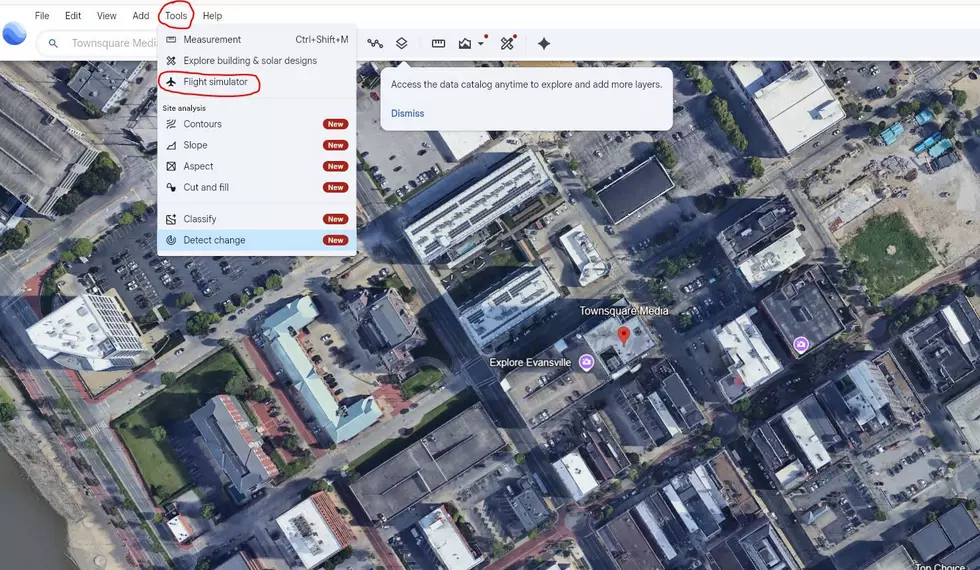
How to Start the Google Earth Flight Simulator
To launch the flight simulator:
- Open Google Earth on your computer.
- Click the Explore Earth icon at the top of the home screen.
- Open the Tools menu.
- Select Flight Simulator.
Google Earth Flight Simulator Controls
Use these keyboard shortcuts while flying:
- Action Keyboard Control
- Increase thrust Page Up
- Decrease thrust Page Down
- Pitch down (dive) Down Arrow
- Pitch up (climb) Up Arrow
- Roll left Left Arrow
- Roll right Right Arrow
- Toggle mouse controls
- Click inside the simulation
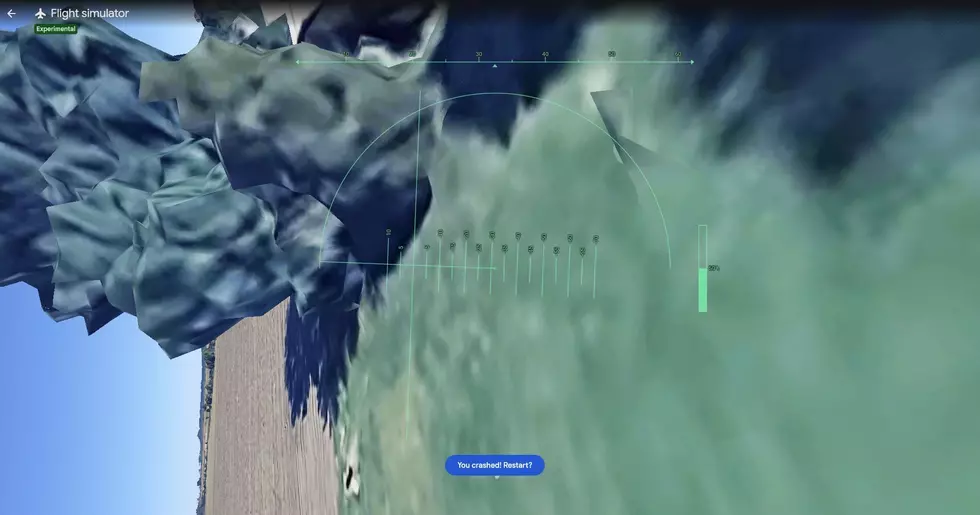
What Happens If You Crash?
If your aircraft hits the ground, "You've Crashed" will pop up. You can click that or "Restart" to restart your simulation.
How to Exit the Flight Simulator
When you're finished exploring, click the back arrow in the upper left corner of the flight simulator to return to the standard Google Earth map view.
Tips
When you first start flying, move your cursor and click right on the small center dot at 15. From there, move your mouse in tiny increments (1-2 mm) to steer your aircraft. Be mindful that the controls feel backwards at first. Move your mouse left to turn right, and move it up to point the nose down. The opposite is true in the other direction. The biggest tip is not to overcorrect. Small, gradual movements will keep you flying smoothly.
Sunrise Creates Bob Ross Worthy Skies Over Daviess County
Gallery Credit: MKAT
More From WKDQ-FM

